
Shopify Extension Development Guide: Build Custom Solutions 2026
As eCommerce heats up in 2026, more businesses are looking for ways to stand out. The push for custom Shopify solutions has never been stronger, and store owners need tools to compete and win.
Shopify extensions—or apps—let merchants move beyond the basics. These powerful add-ons help you shape your store to fit your unique vision, offering flexibility that out-of-the-box features just cannot match.
If you want a better user experience or need something Shopify does not provide, custom extensions can bridge the gap. They unlock new growth opportunities and keep your brand ahead of the curve.
This guide covers the full shopify extension development journey. We will walk you through planning, building, launching, and optimising your extension for success.
You will get expert insights, practical steps, and future-focused advice. We will explore extension types, strategy, development best practices, compliance, and what is next for Shopify stores.
Understanding Shopify Extensions: Types and Use Cases
Shopify extension development has evolved into a cornerstone of modern eCommerce, giving merchants a toolkit for customising Shopify stores in ways that go far beyond standard apps. But what exactly are Shopify extensions, and how do they differ from traditional Shopify apps?
Extensions are purpose-built pieces of code that plug directly into core Shopify workflows, like checkout or customer accounts. Unlike standalone apps, extensions are tightly integrated and operate within the Shopify admin, storefront, or POS. This means they can deliver seamless experiences without redirecting users or risking theme conflicts.

Understanding Shopify Extensions: Types and Use Cases
What are Shopify Extensions?
Shopify extensions are modular features that enhance specific touchpoints across the Shopify ecosystem. They are designed for speed, security, and future-proofing, unlike many legacy apps that can break with platform updates. In shopify extension development, extensions are deployed within Shopify's infrastructure, reducing risks for merchants and developers alike.
The main difference is that extensions target defined points in the Shopify flow, such as the checkout or the POS interface, rather than operating as standalone applications. This approach offers greater stability and compatibility, especially as Shopify continues to update its platform rapidly.
Types of Shopify Extensions
There are several key types of Shopify extensions, each with its own role:
| Extension Type | Core Function | Example Use Case |
|---|---|---|
| Checkout UI Extension | Customises checkout experience | Multi-step checkout forms |
| Theme App Extension | Adds storefront features | Product badges, banners |
| Shopify Function | Alters backend logic | Dynamic pricing rules |
| POS UI Extension | Enhances Point of Sale | Loyalty program pop-ups |
| Web Pixel Extension | Tracks analytics/pixels | Facebook/Google tracking |
| Customer Account UI Extension | Customises customer portal | Order tracking widgets |
| Payment Extension | Integrates payment methods | BNPL, local gateways |
Shopify extension development allows you to select the type that best matches your business goals and technical requirements.
Real-World Use Cases
Shopify extension development is about solving real business problems. For instance, a fashion retailer might use a Checkout UI extension to offer a post-purchase upsell, increasing average order value. A café chain could implement a POS UI extension to reward loyal customers with instant discounts at checkout.
Another example is using Theme app extensions to display low-stock alerts, creating urgency without manual theme edits. Web pixel extensions make it easy to track conversions and customer behaviour, feeding data straight to your analytics tools.
These targeted solutions minimise the risk of site slowdowns or conflicts, which can happen with heavy-handed app customisation. By focusing on the right extension type, shopify extension development delivers both flexibility and reliability for growing brands.
Integration Points and Business Impact
Shopify extension development connects directly to key integration points: checkout, POS, online storefront, and customer accounts. This lets you tailor the shopping experience at every step, from the first click to repeat purchases.
Recent stats show that merchants adopting extensions report higher satisfaction and fewer technical issues compared to traditional app customisation. According to Shopify's 2026 App Opportunities, the extension ecosystem is expanding rapidly, with over 70 percent of new features now delivered as extensions.
Compared to older approaches, extensions reduce maintenance headaches and keep your store running smoothly through Shopify updates. The right strategy ensures your investment in shopify extension development pays off in both performance and customer experience.
Planning Your Shopify Extension: Strategy and Requirements
A successful shopify extension development project starts long before a single line of code is written. The planning phase is where you set the foundation for a solution that genuinely solves business challenges, delights customers, and integrates smoothly with the Shopify ecosystem.

Planning Your Shopify Extension: Strategy and Requirements
Project Scoping and Stakeholder Alignment
Every shopify extension development journey begins with clear scoping. Bring together key decision-makers early—owners, marketers, tech leads—to define the project vision and agree on what success looks like. This alignment avoids scope creep and ensures everyone pulls in the same direction.
Gathering Requirements
Next, dig into the real pain points your extension should address. Interview staff, review support tickets, and map your customer journey to highlight friction or missed opportunities. Outline the desired outcomes for both the business and end users.
A helpful approach is to create user stories. For example:
"As a returning customer, I want to see personalised post-purchase offers so I feel valued."
"As a store manager, I want to track upsell performance without extra manual work."
For more on this process, see the Shopify development insights Australia guide, which covers best practices and local market considerations.
Technical Feasibility
Now, assess what’s possible within the Shopify platform. Review available APIs, extension points, and any platform limitations that could impact your shopify extension development. Will you need to integrate with third-party services? Are there performance or security considerations? Loop in your technical team or external experts early to avoid surprises.
Budgeting and Resource Planning
Estimate the resources required. Decide whether to build in-house or partner with a specialised agency. Factor in time for shopify extension development, testing, and approvals. Build in a buffer for unforeseen issues, and don’t forget ongoing support and updates.
A quick comparison table:
| Factor | In-House | Agency |
|---|---|---|
| Upfront Cost | Lower | Higher |
| Speed | Variable | Typically faster |
| Expertise | Depends on team | Shopify specialists |
| Ongoing Support | Internal | Often included |
Compliance and Security
Address compliance and security from the outset. Consider data privacy rules (GDPR, CCPA, Australian privacy) and Shopify’s requirements for handling payment or customer information. Secure data flows and permissions now to avoid costly fixes later in your shopify extension development cycle.
Example: Planning a Post-Purchase Upsell Extension
Imagine a fashion retailer wants to boost average order value with targeted post-purchase offers. Start by mapping the customer journey after checkout—where can you add value without being intrusive? Define user stories for both shoppers and staff. Confirm technical feasibility: which extension points support post-purchase flows? Budget for design, development, and UAT. Build in analytics tracking and data privacy safeguards to ensure long-term success.
Effective shopify extension development always begins with robust planning. By clarifying your vision, aligning stakeholders, and addressing technical, financial, and compliance needs up front, you set your project up for a smoother build and a bigger impact.
Step-by-Step Shopify Extension Development Process
Shopify extension development is a journey that rewards structure, clarity, and attention to detail. Whether you're a solo founder or leading a team, a disciplined process helps you avoid costly mistakes and build solutions that deliver on your business goals.
Let’s break down the entire shopify extension development lifecycle, from initial setup to final deployment, with practical steps you can follow.
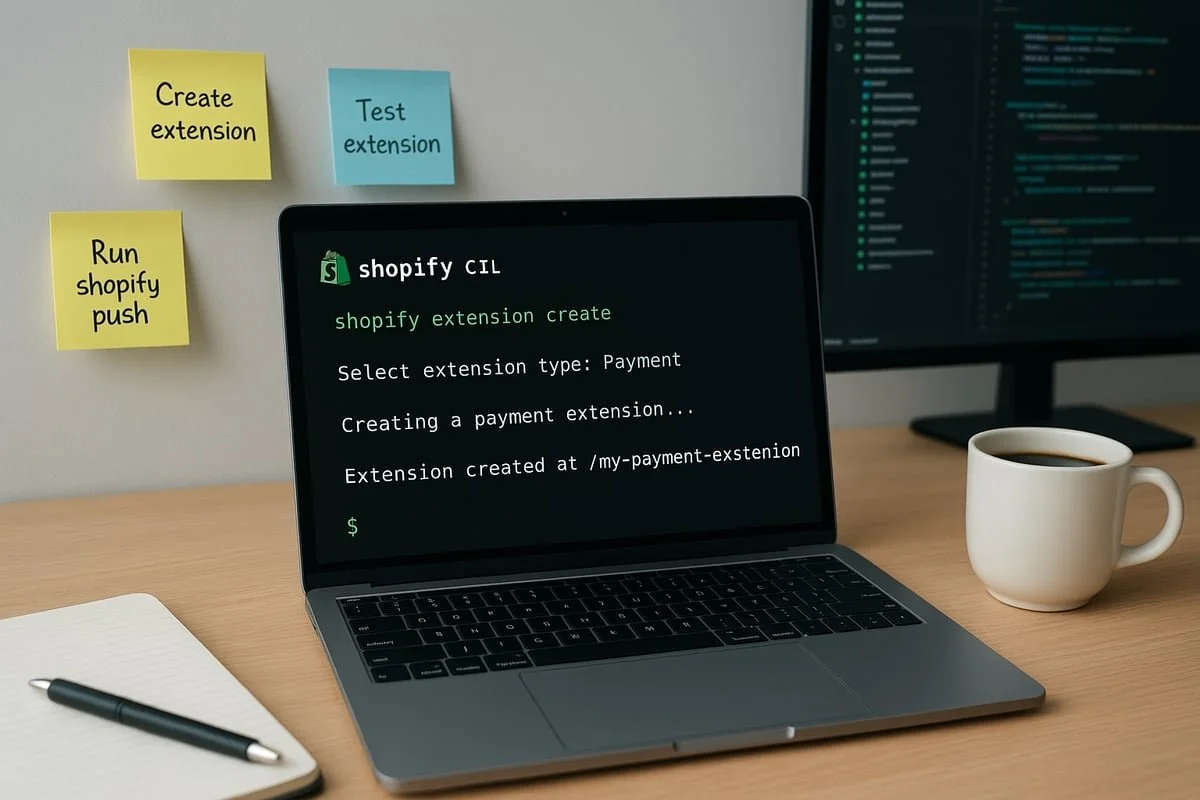
Step-By-Step Shopify Extension Development Process
Setting Up Your Shopify Extension Development Environment
The first step in shopify extension development is preparing your toolkit. Start by creating a Shopify Partner account, which gives you access to the Partner Dashboard. This dashboard is your control centre for managing test stores, apps, and extensions.
Next, install the Shopify CLI on your machine. The CLI streamlines creating, testing, and deploying extensions. Here’s a quick setup checklist:
Shopify Partner account
Shopify CLI installed (
npm install -g @shopify/cli)Access to a test store for safe experimentation
Set up your local environment with your preferred code editor, such as VS Code. Use Git for version control from the beginning. This foundation ensures your shopify extension development process is smooth and repeatable.
Creating and Scaffolding Your Extension Project
With your environment ready, the next phase in shopify extension development is scaffolding your project. The Shopify CLI makes this straightforward. Run:
shopify extension create
Choose the extension type that fits your business goal, such as Checkout UI Extension, Theme App Extension, or POS UI Extension. The CLI generates a starter project with the necessary structure.
Define your extension’s metadata, such as name, description, and integration points. This groundwork ensures your shopify extension development aligns with your requirements and Shopify’s standards.
Coding Your Shopify Extension
Now the core of shopify extension development comes into play: writing code. Use Shopify’s APIs and pre-built UI components to connect your extension with store data and user interactions. For example, use GraphQL Admin API for data retrieval, and Shopify’s Polaris design system for a consistent look.
Target the right extension points in the Shopify ecosystem. For Checkout UI Extensions, hook into the checkout flow. For Theme App Extensions, target product pages or cart drawers.
Stay current with API updates. For major changes, consult resources like Upgrading to Shopify API 2025-10 to keep your shopify extension development future-proof.
Integrating Advanced Logic with Shopify Functions
For more complex shopify extension development, Shopify Functions or WebAssembly let you run secure, high-performance backend logic. Functions are ideal for custom discounts, shipping calculations, or dynamic pricing.
Write your logic in supported languages like Rust or JavaScript, then deploy to Shopify’s infrastructure. This approach keeps sensitive operations fast and secure, while letting you respond to business needs quickly.
Link your function to the relevant extension target, ensuring seamless integration within the user experience. Test locally before pushing live to avoid disrupting store operations.
Testing and Quality Assurance
Quality is non-negotiable in shopify extension development. Begin with unit tests for each component. Shopify provides testing utilities for simulating store environments.
Move on to integration testing, checking that your extension works with other apps and store features. Finally, run user acceptance tests with real stakeholders in a test store.
Use Shopify’s extension preview tools to see changes in real time. Document your test cases and results to catch regressions early and keep your shopify extension development process reliable.
Version Control and Team Collaboration
Version control is essential for collaborative shopify extension development. Use Git to track changes, manage branches, and roll back if needed.
Set up a repository on GitHub or Bitbucket. Implement a workflow for code reviews and pull requests. This structure supports clear communication between team members and keeps your extension codebase healthy.
Automate deployments and testing where possible. Continuous integration tools can flag issues early, speeding up your shopify extension development cycle.
Example: Building a Theme App Extension
Let’s bring the shopify extension development process to life with an example. Suppose you want to add dynamic product recommendations to your online store.
Scaffold a Theme App Extension using the CLI.
Use Shopify’s APIs to fetch customer browsing data.
Implement a React component using Polaris to display recommendations on product pages.
Write unit and integration tests for the recommendation logic.
Use Git for version control, collaborating with your designer for UI tweaks.
After rigorous testing, deploy the extension to your test store. Gather feedback, refine, then launch to production.
Every step in shopify extension development builds on the last. By following a methodical process, you ensure your custom solutions are robust, scalable, and ready for the evolving needs of 2026.
Best Practices for Robust, Scalable Shopify Extensions
Building strong foundations is key when it comes to shopify extension development. As eCommerce evolves, merchants expect seamless, reliable experiences that scale as their business grows. Following best practices sets your extension up for long-term success and keeps your store running smoothly.

Best Practices for Robust, Scalable Shopify Extensions (Apps)
Technical Excellence & Performance
Start with Shopify’s official documentation and guidelines. They’re your roadmap for shopify extension development, outlining not just what’s possible, but what’s expected in 2026.
Prioritise high performance. Extensions should load quickly and never slow down the storefront. Use Shopify’s asynchronous APIs, optimise images and scripts, and test for latency. Modular code is vital, as it allows you to update features without breaking other parts of your store.
Continuous monitoring and performance tuning are essential. Consider leveraging professional Shopify optimisation services to keep your extension running at peak efficiency. This ensures you don’t just launch fast, but stay fast as your store scales.
Security, Compliance & Accessibility
Security is non-negotiable in shopify extension development. Always handle sensitive data—like payment details or personal information—using Shopify’s secure APIs and recommended authentication flows. Limit permissions to only what is absolutely necessary.
Stay compliant with privacy laws such as GDPR and Australia’s data protection standards. Regularly audit your extension for vulnerabilities and keep up to date with Shopify’s evolving security advisories.
Accessibility is just as critical. Design UI components that are mobile responsive and usable by everyone, including customers with disabilities. Test with screen readers and keyboard navigation to ensure inclusivity.
Future-Proofing & Data-Driven Growth
Future-proof your shopify extension development by following modular coding practices and using API versioning. This makes it easier to adapt to platform updates or evolving business needs.
Integrate analytics from the start. Web pixel extensions let you collect actionable insights on user behaviour, helping you optimise for conversion and retention. Monitoring tools can alert you to errors or slowdowns before they impact customers.
Maintain clear, up-to-date documentation. This helps your team—or future developers—understand, update, and scale your extension efficiently.
Real-World Example: Theme App Extension Conflicts
A common challenge in shopify extension development is theme code conflicts. For example, a Theme app extension that injects dynamic product recommendations can break if another app modifies the same area of the theme.
To avoid this, always namespace your code, use Shopify’s prescribed extension points, and test thoroughly with multiple themes. Collaboration with other app developers can also head off potential issues before they reach production.
By following these best practices, you’ll ensure your Shopify extensions are robust, secure, and ready for the future.
Compliance, Security, and Performance in 2026
Navigating compliance, security, and performance is not optional for shopify extension development in 2026. With privacy laws tightening and eCommerce risks evolving, merchants and developers alike face more scrutiny and higher expectations than ever before. Protecting your business, your customers, and your reputation means building extensions with a strong foundation from the start.
Evolving Compliance Requirements
Compliance is a moving target. In 2026, shopify extension development must account for global regulations like GDPR and CCPA, as well as local rules such as the Australian Privacy Principles. Failing to comply can result in fines, store suspension, or loss of customer trust.
Key compliance steps include:
Mapping data flows and minimising collected personal data
Explicitly informing users about data usage and obtaining consent
Adhering to Shopify’s guidelines on data storage and transmission
Staying informed about compliance trends is crucial. Laws can change quickly, and extensions must adapt without disrupting customer experience. Make compliance a recurring checkpoint throughout your development process.
Security Best Practices for Shopify Extensions
Security is at the core of shopify extension development. In 2026, threats are more sophisticated, and Shopify’s review process is stricter. Developers should:
Use Shopify’s secure APIs for all data interactions
Implement robust authentication and authorisation controls
Encrypt sensitive data in transit and at rest
Avoid storing payment information directly unless absolutely necessary
A security-first mindset helps prevent breaches and keeps your store’s reputation intact. If you handle payment data, follow PCI DSS guidelines and always use Shopify’s native payment endpoints. Regular security audits and code reviews reduce risk and spot vulnerabilities early.
Performance Optimisation and Shopify’s Infrastructure
Performance impacts both conversion rates and search rankings. Slow or inefficient extensions can frustrate users and lead to abandoned carts. In modern shopify extension development, leveraging Shopify’s global CDN and infrastructure is essential.
To boost performance:
Optimise code for low latency and minimal resource use
Use asynchronous loading for non-critical components
Monitor real-world speeds with analytics and user feedback
For deeper integration and performance gains, the Shopify's Universal Commerce Protocol offers insights into Shopify’s evolving architecture, supporting robust and scalable extensions in 2026.
Compatibility, Monitoring, and Real-World Example
Shopify evolves fast, and so should your extensions. Future-proof shopify extension development by:
Tracking Shopify’s API and platform updates
Designing modular code for quick adaptation
Setting up automated tests for each new Shopify release
Monitoring is not just for launch. Use real-time alerts to catch issues before they impact customers. If vulnerabilities arise, patch and redeploy quickly to maintain compliance and performance.
For example, when implementing a secure payment extension for an Australian merchant, staying aligned with Shopify's 2025 Platform Overhaul ensured compatibility, security, and a seamless experience for end users.
Future Trends in Shopify Extension Development
The landscape of shopify extension development is evolving rapidly as we move through 2026. Merchants want more than just plug-and-play solutions—they’re looking for innovation that keeps them ahead of changing customer expectations. Let’s explore the future trends shaping how custom extensions will empower online retailers.
AI and Automation Take Centre Stage
Artificial intelligence is transforming shopify extension development by enabling deeper personalisation and smarter automation. Extensions powered by AI can now offer predictive product recommendations, automate customer segmentation, and even trigger dynamic content based on browsing behaviour.
Retailers are using these tools to boost conversion rates and streamline operations. Machine learning models can analyse trends, predict stock needs, and personalise marketing—all within the Shopify ecosystem.
Headless Commerce and No-Code Builders
Headless commerce is now mainstream, letting brands decouple their storefront from the backend for greater flexibility. In shopify extension development, this means extensions can be plugged into composable, API-driven architectures, supporting unique front-end experiences across web, mobile, and even in-store kiosks.
Meanwhile, no-code and low-code builders are democratizing extension creation. Store owners without deep technical skills can craft custom features, test ideas quickly, and adapt to market shifts faster than ever.
A quick comparison:
| Trend | Benefit | Example |
|---|---|---|
| Headless Commerce | Custom front-end experiences | AR-enabled product previews |
| No-Code Builders | Faster prototyping | DIY loyalty program configuration |
Shopify’s 2026 Roadmap and Innovation Opportunities
Shopify continues to expand extension APIs and developer tooling, making shopify extension development more robust and scalable. Expect to see more support for omnichannel features, real-time analytics, and integration with emerging tech like voice commerce or AR/VR shopping.
Merchants are increasingly demanding seamless, cross-platform experiences. Extensions that leverage these innovations will set the pace for customer engagement and loyalty.
For ongoing insights and deep dives on shopify extension development, the Shopify Development blog category remains a valuable resource for staying ahead of the curve.
If you’re ready to stop feeling stuck and start seeing real progress with your Shopify store, you’re not alone—every small business owner faces the same crossroads. We’ve just walked through the why and how of building custom Shopify extensions, so you know what’s possible for your business in 2026. Now, if you’re looking for a partner who cuts through the overwhelm and helps you go from planning to launch in just four weeks, let’s connect. You don’t have to figure this out alone—book a chat and let’s set you up to Go From Stuck to Selling in 4-Weeks.
Article written using RankPill.